A restore brings back everything the backup held, including records a Source deleted after the backup was taken, the chat answers that quoted them and the encrypted audit payloads of those conversations. So a Gluon restore has one step a plain database restore lacks: you replay the deletion log before the restored environment serves a single question.
What to back up
| What | How |
|---|---|
| Postgres master and audit databases | CloudNativePG archives WAL continuously and takes a daily base backup, kept for 35 days, so you can recover to a point in time |
| Keys | the key service holds them, never the database; back it up on its own |
| Elastic index | a snapshot to a snapshot repository |
| Deletion manifest | a copy outside the database, newer than the backup |
The manifest copy already exists if you forward the audit stream to a SIEM: every instance.delete record carries the ids it hid. You can also export it:
gluon erasure manifest --since 2026-09-01
Restore
-
Decide the recovery point, and whether the audit database, the index and object storage are affected as well as the master database.
-
Create fresh databases and migrate them forward:
ShellGLUON_DATABASE_URL=.../gluon_restore GLUON_AUDIT_DATABASE_URL=.../gluon_restore_audit gluon migrate -
Restore the data into them with
pg_restoreor your platform's point-in-time recovery, restore the key service export and restore the index snapshot. -
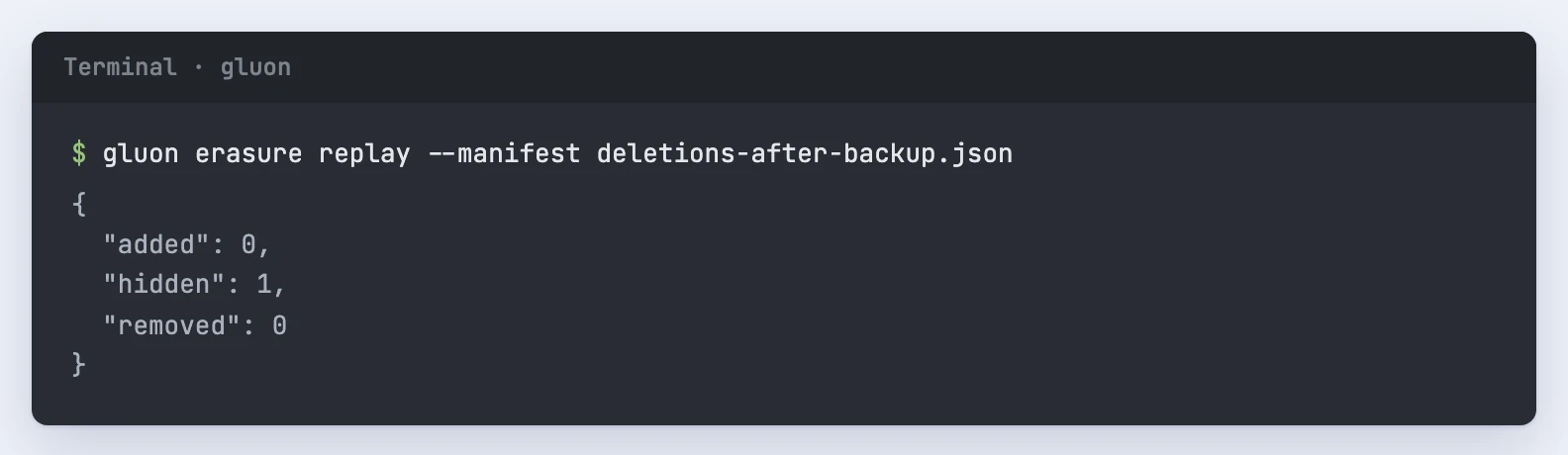
Replay deletions before any traffic reaches the restored environment. Give it the manifest exported after the backup, or the SIEM's OCSF export as JSON lines:
Shellgluon erasure replay --manifest deletions-after-backup.json gluon erasure replay --siem siem-export.jsonlThe result counts what it did:
addedis manifest rows the restored log lacked,hiddenis every record in the log hidden again,removedis what it purged. Where the manifest holds a newer report for a record than the restored log, the newer one wins, since its policy may be stricter. Replay is idempotent, so run it again if you're unsure. -
Verify the audit hash chains against the external checkpoints:
Shellgluon audit-verify -
Ask a test question and read back a conversation from before the backup. Check that deletions made after the backup are gone.
-
Only then point clients at the restored environment.
Rehearse it
Run the restore drill every quarter. Locally it runs on the compose stack with the search profile, with a fresh API image for its replica:
docker compose -f ops/compose/docker-compose.yml --profile search up -d
docker build -f ops/docker/rust.Dockerfile --target api -t gluon-api:local .
cargo run -p gluon-cli --example drill-restore
The drill seeds a record, backs up the index, both databases and the keys, then deletes the record through a connector, so the backup still holds it. It deletes the index, restores everything into scratch databases, replays the manifest and checks the hash chains, that the deleted record is no longer served, that the restored answer's quote is redacted, and that a fresh API replica answers with citations. It prints a JSON report with ok, the restore time and the total time, and exits non-zero on any failed check. The recovery time objective is 4 hours. On a laptop (2026-10-11) the restore took 3.4 seconds and verification finished at 4.5 seconds; your own infrastructure needs its own measured drill.
The step-by-step runbook for a real incident is ops/runbooks/restore.md. While you restore, the service is down or read only, and a real data loss is a P1.