Applications reach the generated REST API and the MCP server through an OAuth 2.1 client that an administrator has put on the allow-list. Every token acts for one signed-in person, for one resource, under the Capabilities the client was approved for. Gluon has no service identity for these routes: the client_credentials grant is refused, and every client is a public client using PKCE with no secret.
Approve a client
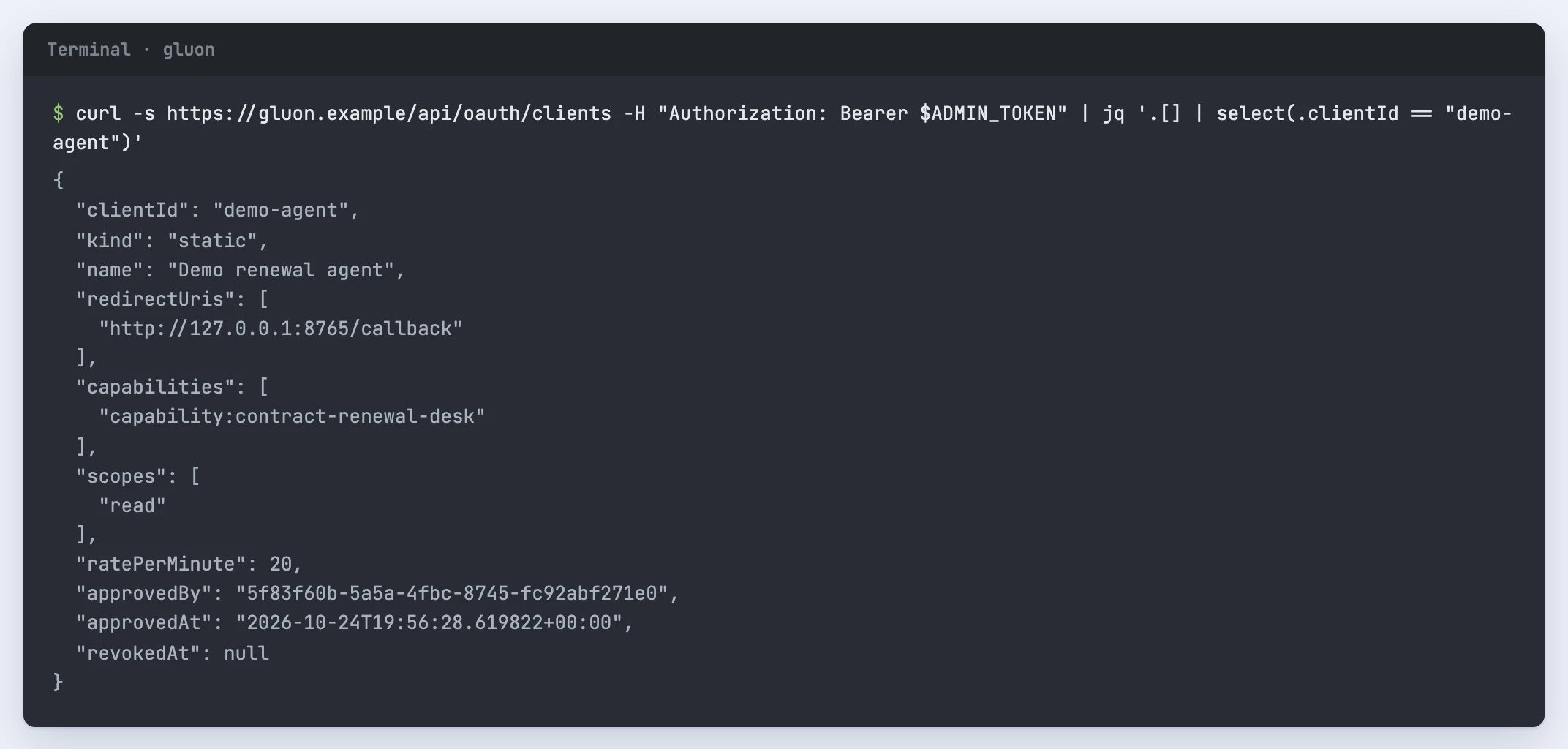
Approving needs the manage-security permission, which the security officer role carries. The admin console has no screen for the allow-list yet, so you call the API with your own token:
curl -s https://gluon.example/api/oauth/clients \
  -H "Authorization: Bearer $ADMIN_TOKEN" \
  -H 'content-type: application/json' \
  -d '{
    "clientId": "demo-agent",
    "kind": "static",
    "name": "Demo renewal agent",
    "redirectUris": ["http://127.0.0.1:8765/callback"],
    "capabilities": ["capability:contract-renewal-desk"],
    "scopes": ["read"],
    "ratePerMinute": 20
  }'
kindisstatic, where you list the redirect URIs, ormetadata, whereclientIdis the https URL of the client's Client ID Metadata Document. Gluon reads that document once, at approval, and takes the name and redirect URIs from it. It must name its own URL asclient_id, resolve to public addresses only, answer within 5 seconds without a redirect and stay under 64 KB.capabilitiesare the Capabilities the client may bind a request to.scopesareread(reads, answers and resources) andexecute(actions). The default isread.ratePerMinutedefaults to 120.
GET /api/oauth/clients lists the allow-list. Posting the same clientId again replaces its approval, which is how you change scopes or the rate. DELETE /api/oauth/clients/{client_id} revokes the client, and every token it holds fails on its next request. A client belongs to one workspace. Dynamic client registration is switched off: there is no registration endpoint.
Sign a person in
Clients discover the endpoints themselves. /.well-known/oauth-protected-resource/api/mcp and /.well-known/oauth-protected-resource/api/v1 name each resource and its authorisation server; /.well-known/oauth-authorization-server lists the endpoints. When your proxy forwards only /api, the same documents answer under /api/.well-known/.
- Send the person to
GET /api/oauth/authorizewithresponse_type=code,client_id, the exact registeredredirect_uri,code_challengewithcode_challenge_method=S256,resource(https://gluon.example/api/mcporhttps://gluon.example/api/v1),scopeandstate. The person must already be signed in to Gluon, or they getlogin_required. - Gluon redirects back with a
code, valid for 2 minutes and usable once. - Exchange it at the token endpoint:
curl -s https://gluon.example/api/oauth/token \
  -d grant_type=authorization_code \
  -d client_id=demo-agent \
  -d code=$CODE \
  -d code_verifier=$VERIFIER \
  -d redirect_uri=http://127.0.0.1:8765/callback \
  -d resource=https://gluon.example/api/v1
The access token lives 10 minutes. The refresh token lives 12 hours and rotates on every use; presenting a used refresh token or code again revokes every token from that sign-in. A token for /api/v1 is refused on /api/mcp and the other way round, so a client that uses both signs in once per resource.
Consent is the administrator's approval plus the person's own sign-in, and there is no per-person consent screen yet. The first sign-in records an MCP grant for that person and client, listed with their sessions under People. Suspending the person or revoking the grant ends its tokens for good; signing in again creates a new grant. POST /api/oauth/revoke with either token ends both tokens from that sign-in.
When a request is refused
- 401 with
WWW-Authenticate: Bearer resource_metadata="...": the token is missing, expired, revoked or meant for the other resource. Refresh it, or sign the person in again. - 403
insufficient-scope: the token lacksreadorexecute. Scopes are narrowed to the client's current approval on every request. - 429 with
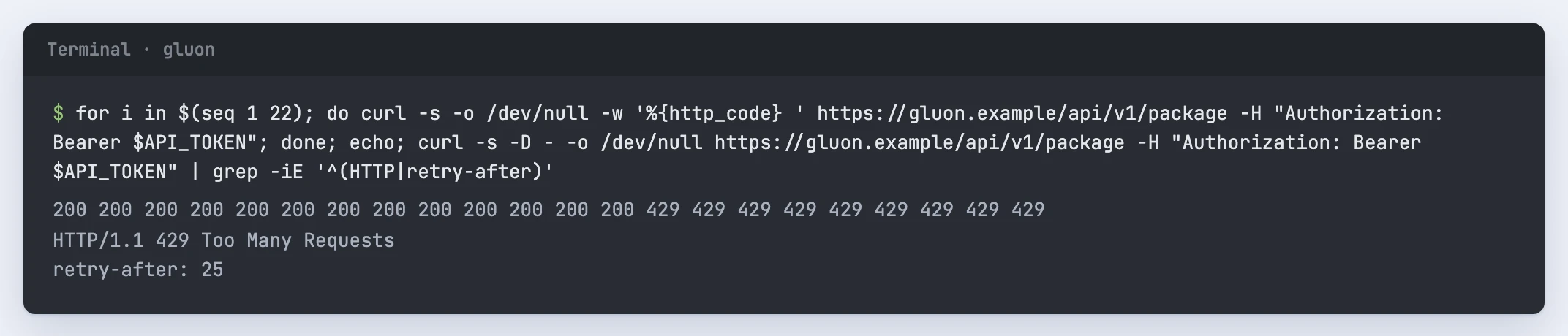
Retry-After: the client passed its rate limit.
Rate limits
The limit is a fixed one-minute window per client and person, counted in the database so every replica shares it. Every request counts, failed ones included. Past the limit you get 429 with Retry-After, the seconds left in the window; wait that long before the next request.
The first refusal in each window writes one api.rate-limited audit event. Usage in the admin console lists these under Rate limited clients with the client, channel and limit. A client is an application, so those rows never name the person.