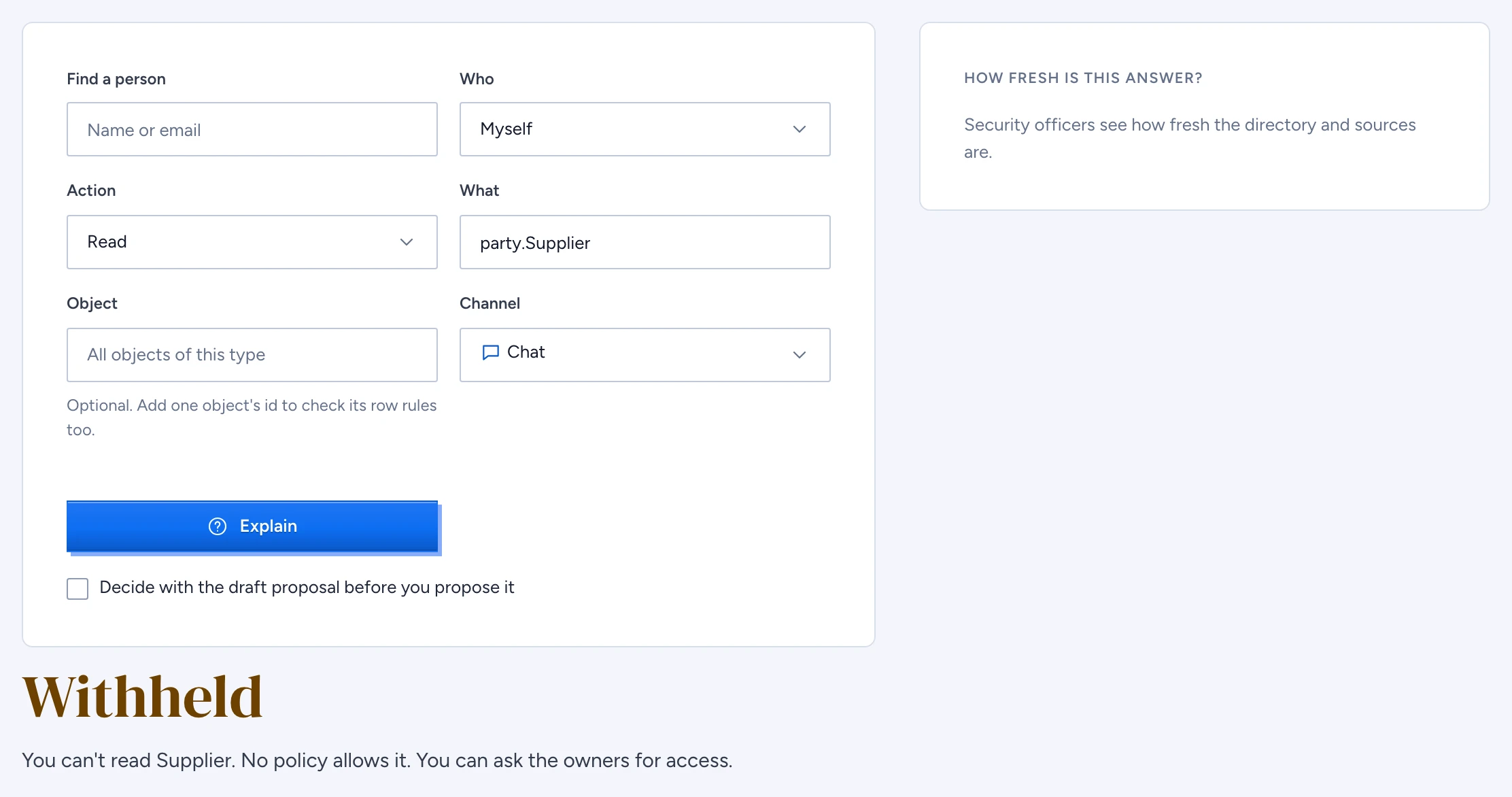
The access explainer answers one question: can this person take this action on this type, over this channel, and if they can't, why. It decides with the same policy engine, the same served version and the same session posture as the person's own request, so the verdict you read is the one they get in chat, over the API or over MCP.
Ask about one person and one thing
- In the admin console, open Access explainer under Access & governance.
- Under Who, keep Myself, or type a name or email in Find a person and pick them.
- Choose the Action: read, discover, search, export or execute.
- Under What, type the type's qualified name, for example
procurement.Contract. - To include row rules, put one object's id in Object. You must be able to read that object yourself; an id you can't read answers as if it does not exist.
- Pick the Channel: chat, apps, api, mcp or desktop.
- Select Explain.
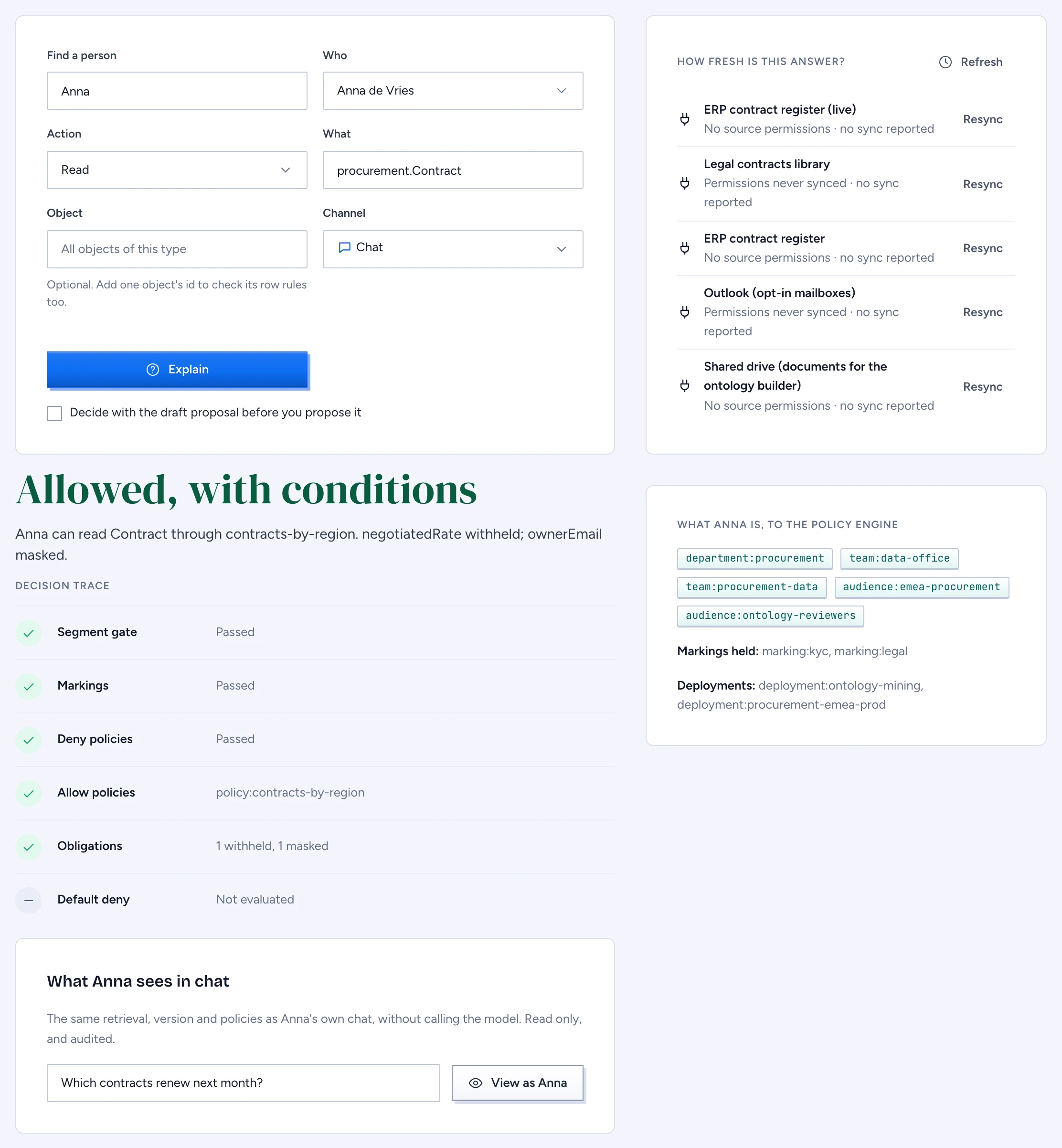
The verdict is Allowed, Allowed, with conditions, Withheld or Not available, followed by one sentence. A conditional allow names what the person loses, for example "Anna can read Contract through contracts-by-region. negotiatedRate withheld; ownerEmail masked."
What your role lets you see
The server picks the depth of the answer from the approved version, whatever you ask.
- About yourself, anyone gets the reason class (a marking, a policy or stale permissions) and whether a request route exists. Request access sends the request to the type's owners without telling you which policy or marking decided.
- Owners of the type, or of its Domain when the type names none, get the deciding policy or marking by name, for anyone.
- Security officers (
role:security-officer) get the full decision trace, what the person is to the policy engine (principals, markings held, deployments) and how fresh the directory and each source's permissions are.
For an employee asking about themselves, a type outside their segments answers exactly like a type that does not exist, whatever refused it first. Anyone else asking about another person gets a refusal: explaining someone else's access needs the owner or security officer role, or an investigation grant.
Read the decision trace
Officers see the trace in the order the policy engine evaluates, each step marked passed, denied or not evaluated:
- Segment gate
- Markings
- Deny policies
- Allow policies
- Obligations
- Default deny
A step 0 comes first when a Capability, the kill switch or an expiry refuses before the segment gate. Once a step denies, every later step shows as not evaluated. Markings are conjunctive: the person must hold every marking on the type, the property and the row, and a role can't override one.
How fresh is this answer lists the directory sync per source and each source's permission sync, for example "Permissions synced 20 min ago · last sync ok". A mirrored ACL older than 15 minutes is withheld, and the reader is told "stale permissions". Resync asks the source's connector to sync its permissions again. A connector without a resync endpoint answers "Not supported by connector."
See what they see in chat
Under the verdict, What Anna sees in chat runs the person's own retrieval for a question you type: the same pre-filter, ranking, re-check and withheld count as their chat, with no model call. Select View as to see the objects they would get, with only the properties they may read, and how many were withheld.
View as needs the security officer role or a live investigation grant for that person. Owning a type is too little, because view as shows everything the person can see. Every use is audited as security.view-as with the ids it retrieved.
Test a change before you propose it
Tick Decide with the draft proposal, before it is proposed and select Explain again. The decision now uses the draft's own package and policies. Your right to ask still comes from the approved version, so a draft that adds you to a role gains you nothing.
To keep the case, select Save as a Test and name it in lower case words joined by hyphens. Gluon writes tests/<name>.yaml into the proposal. The person becomes an anonymous fixture carrying their groups, attributes and markings; their name and id stay out. Saving needs an ontology-wide edit role, refuses a name that is taken, and refuses a decision the fixture can't reproduce.
Limits
Without an object, the explanation is for the type as a whole, so row conditions such as resource.region in subject.regions are left out. Name an object or use view as to evaluate them. When you explain another person, their device and network posture comes from their newest live session.