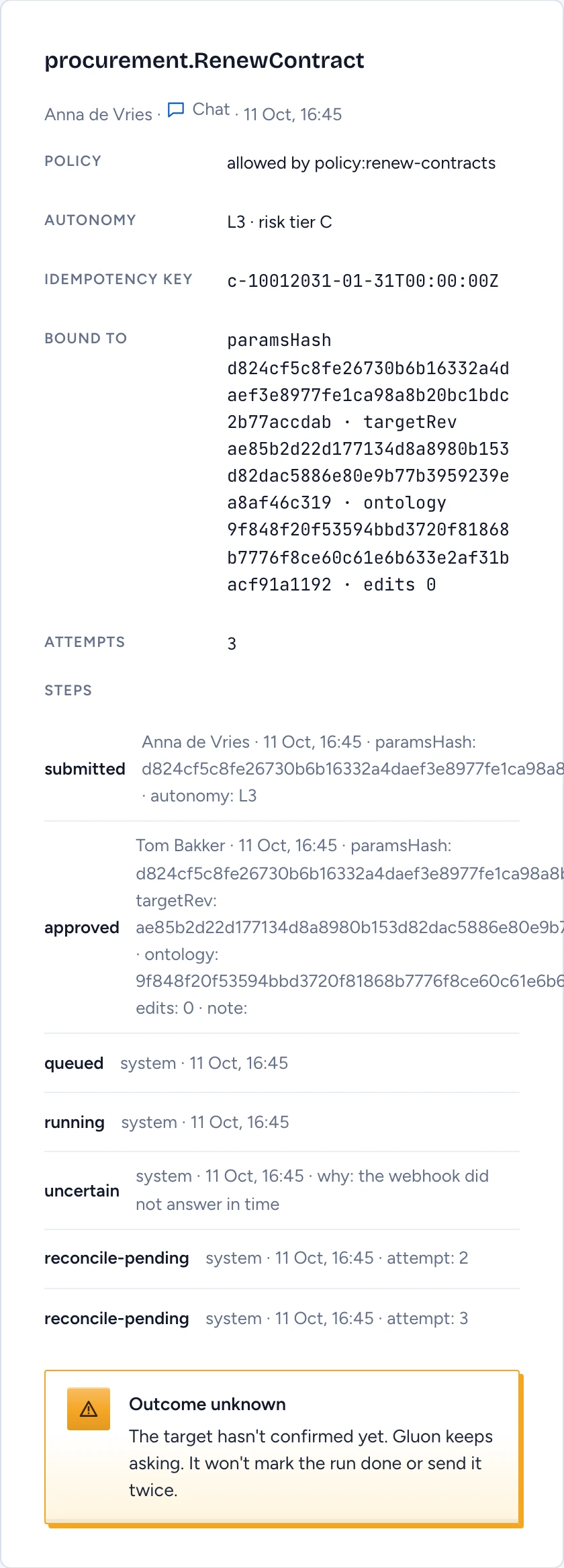
Every action submitted from chat, the API or MCP becomes a run. Most runs finish on their own. The ones that need you are runs whose outcome is unknown: Gluon called an external system, and that system never confirmed whether it applied the change. This page shows how to follow a run and how to settle one of those without applying the change twice.
Open the runs list
In the admin console, open Health & pipeline, then Action runs. You need the security officer role or ontology ownership.
The table lists each run's Action, State, Attempts, Requested by and when it was last Updated. Use State to show one state only; uncertain lists the runs whose outcome is unknown. Select Open on a row to see its detail beside the table.
The run detail shows:
- Policy: the decision the run was admitted under, for example "allowed by policy:renew-contracts".
- Autonomy: the effective level and risk tier.
- Idempotency key: the key the external system sees. The same key is applied once, however often it arrives.
- Bound to: what the approval covered (parameters, the target's revision, the action's definition) and how many times an approver edited it.
- Steps: every step with who took it and when, for example submitted, approved, queued, running, handed-off, uncertain, reconcile-pending, reconciled, compensated.
What happens to an uncertain run
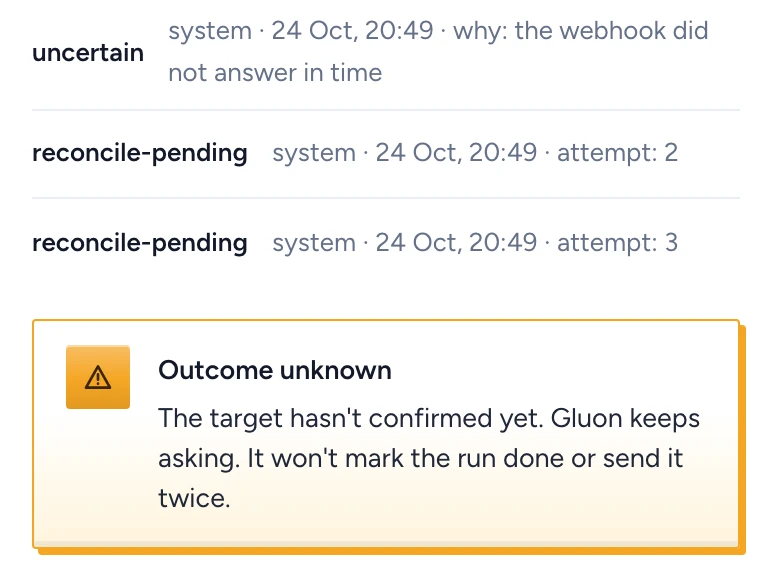
When a call times out or the system answers unclearly, the run moves to uncertain and the detail shows Outcome unknown. Gluon then asks the external system whether it applied the change, using the idempotency key, and waits a little longer between each attempt:
- Applied: the run becomes succeeded.
- Not applied: Gluon compensates it and the run becomes compensated.
- No clear answer: a reconcile-pending step is added and Gluon asks again.
Gluon never re-sends the call and never reports the run as succeeded on a guess. After the first attempt and four checks, it tells the owners of the target type and the run waits for an operator.
Compensate a run yourself
The detail then shows Waiting for an operator.
- Check the external system to see whether the change landed.
- Enter Why you compensate, with what you found.
- Select Compensate.
Gluon puts back the values it recorded before the run for actions marked revertible, removes objects the run created, runs the action's own compensation (such as telling the owner), and tells the requester. The step names you and your reason. Compensation restores the recorded values without looking for later edits to the same object, so check nobody changed it since.
If the run settled in the meantime, Gluon refuses with Not compensated and says why.
Stop runs that should not go ahead
A requester can cancel their own run while it waits for approval or sits in the queue, through POST /api/actions/runs/{id}/cancel. The chat app has no cancel button yet.
To stop every run of an action or a Capability at once, use the kill switch. It voids pending approvals and cancels queued runs, and each requester is told who switched it off. A run already handed to Agent OS is not cancelled by the kill switch yet.
Data alerts
Under the table, Data alerts lists sources past their freshness window, with how long ago each last synced. Stale sources feed stale evidence into the decision packets approvers read. When all is well it says "Every source is within its freshness window."