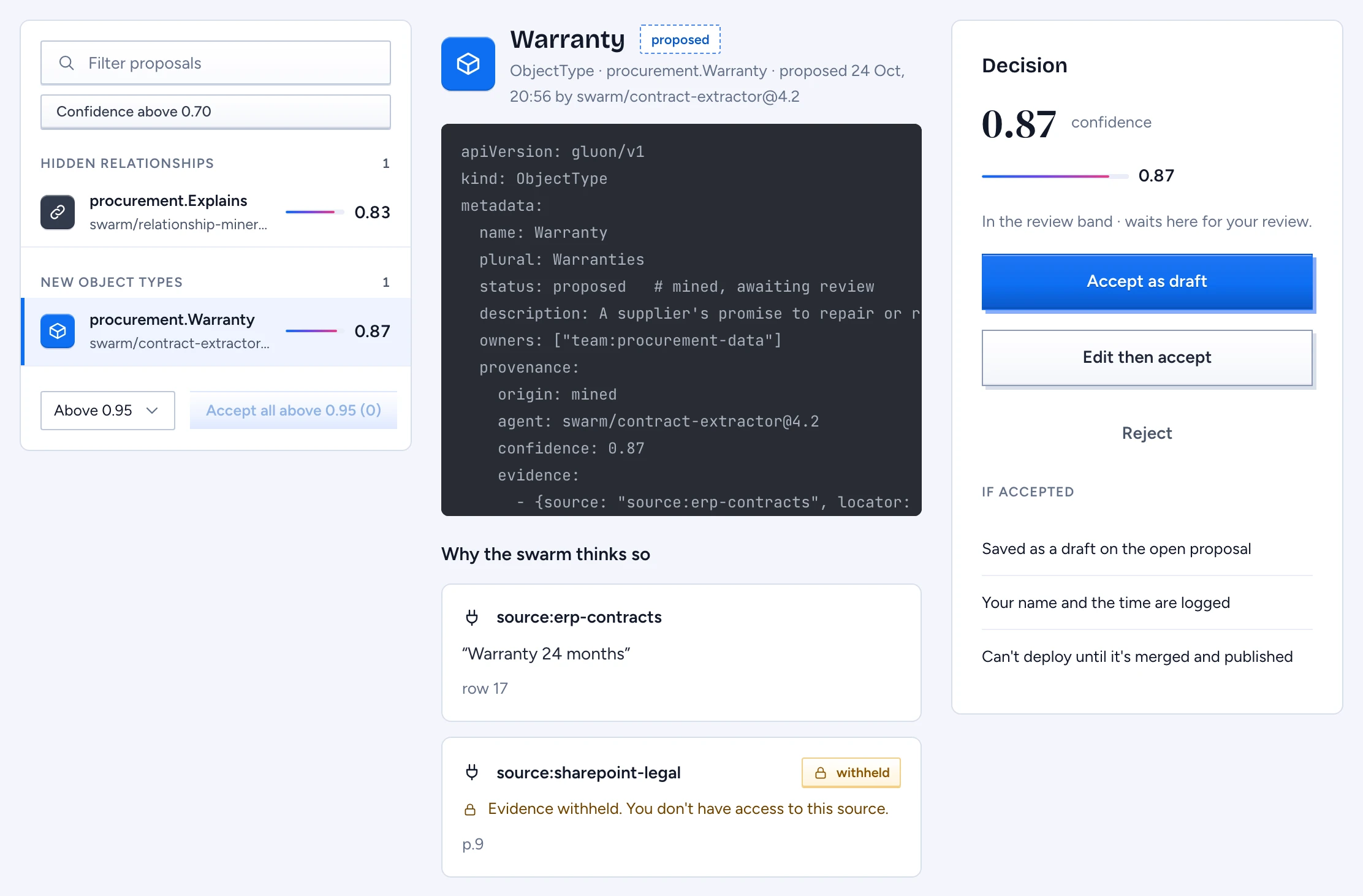
The swarm's miners read your sources and propose new object types, properties and links. Each suggestion arrives with status: proposed, a confidence score and the evidence it was mined from, and it waits in the Review inbox until a person decides. Nothing in the inbox reaches chat, the API or MCP until someone accepts it, merges it and publishes it.
Find what needs you
- Open Review inbox in the designer. The side navigation shows how many items wait.
- The list groups suggestions by kind: new object types, new properties and hidden relationships. Each row shows the element, the agent that proposed it and its confidence.
- Narrow the list with Filter proposals or Confidence above 0.70.
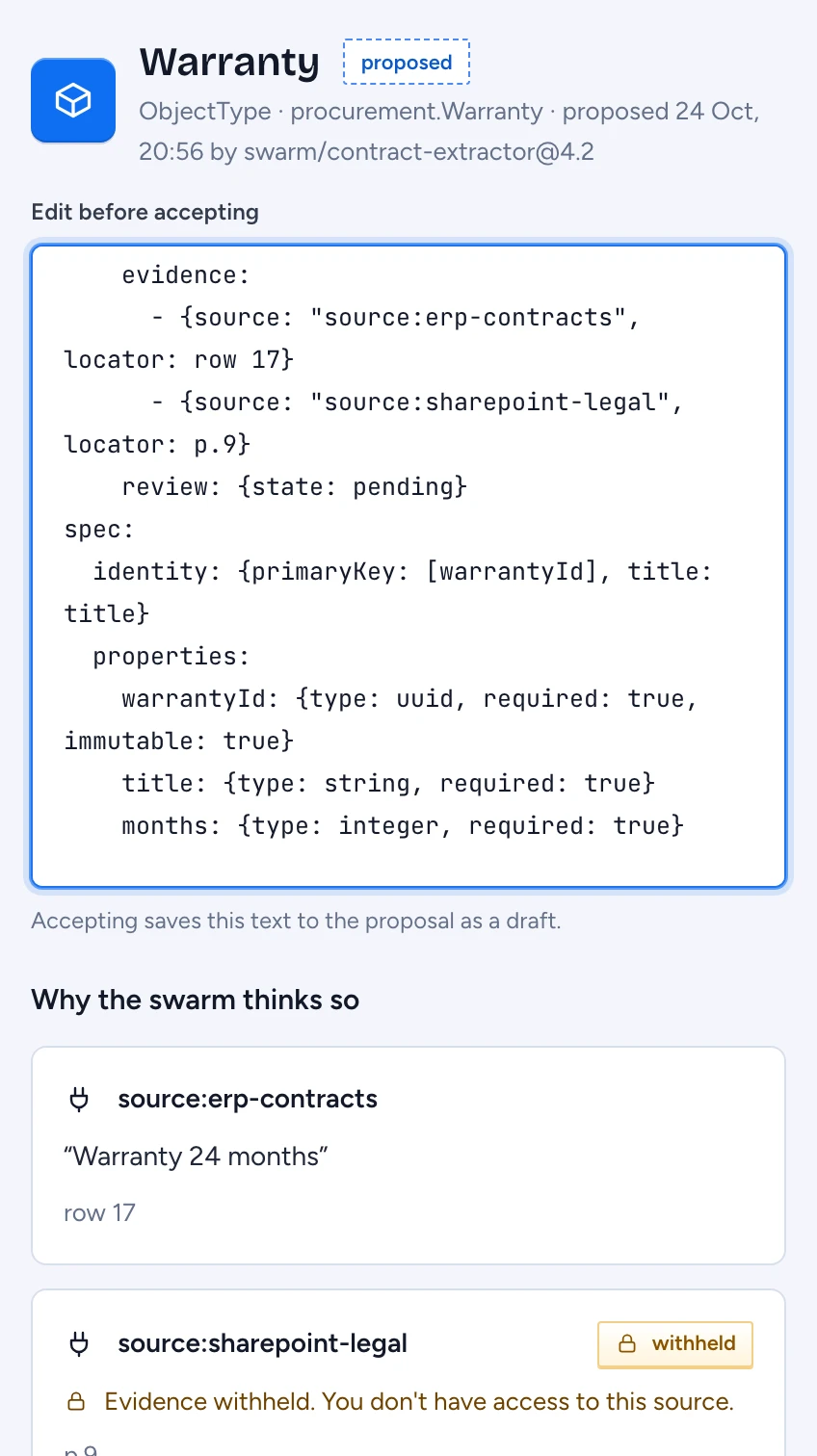
- Select an item. The middle column shows the proposed YAML and, under Why the swarm thinks so, one card per piece of evidence: the Source, the quote and where it sits, such as a row or a page.
A quote shows only when you may read the source it came from. For any other source the card says withheld and hides the quote and its link; the locator stays. Evidence from a source that mirrors its ACL is withheld for everyone for now.
The Decision panel repeats the confidence and lists what accepting does: the item lands as a draft on the open proposal, your name and the time are recorded, and it can be deployed only after it is merged and published.
Accept, edit or reject
- Accept as draft takes the suggestion as it stands. Its
statusbecomesdraftand a review block records you and the time. Comments in the YAML are kept. - Edit then accept opens the YAML under Edit before accepting. Fix a name, a type or a description, then press Accept edited. Gluon refuses the edit when it adds validation errors.
- Reject asks for a reason, and the reason is required. The miner reads it and stops proposing that pattern: an equivalent resubmission is suppressed, and the inbox counts suppressed items at the foot of the list.
Accepting and rejecting need the review permission on the element.
Accept high-confidence items in bulk
Pick a threshold of 0.95, 0.90 or 0.80 and press Accept all above. The button names the threshold and how many items qualify, and a confirmation asks before anything happens. Each item lands as a draft with you as the reviewer; items you may not review are skipped and counted.
Decide merge candidates
Under Merge candidates the swarm pairs records from two sources that may describe the same thing, for example a contract in the ERP and one in SharePoint. The records sit side by side, each headed by its id and Source, with the differing fields marked.
- Compare the two columns.
- Press Merge records or Keep separate. Your name is recorded with the decision.
- Press Undo to return a decided pair to undecided.
When policy withholds one record from you, its column says so. Decide only what you can see, or ask someone who holds access.
What happens next
Accepted items collect on the proposal called Review inbox. Main is unchanged at this point. Continue with Review, approve and merge a proposal.