Data shows the database tables your answers read: only tables that a type of the ontology maps, and only the ones you may read that type of. Each column says what it means, taken from the ontology, and whether you may read it. Everything is read as you, through the same rules as an answer, under the area you work in: the one picked in the composer's scope, else your first. Pick another area in a chat and Data follows it.
Browse the tables
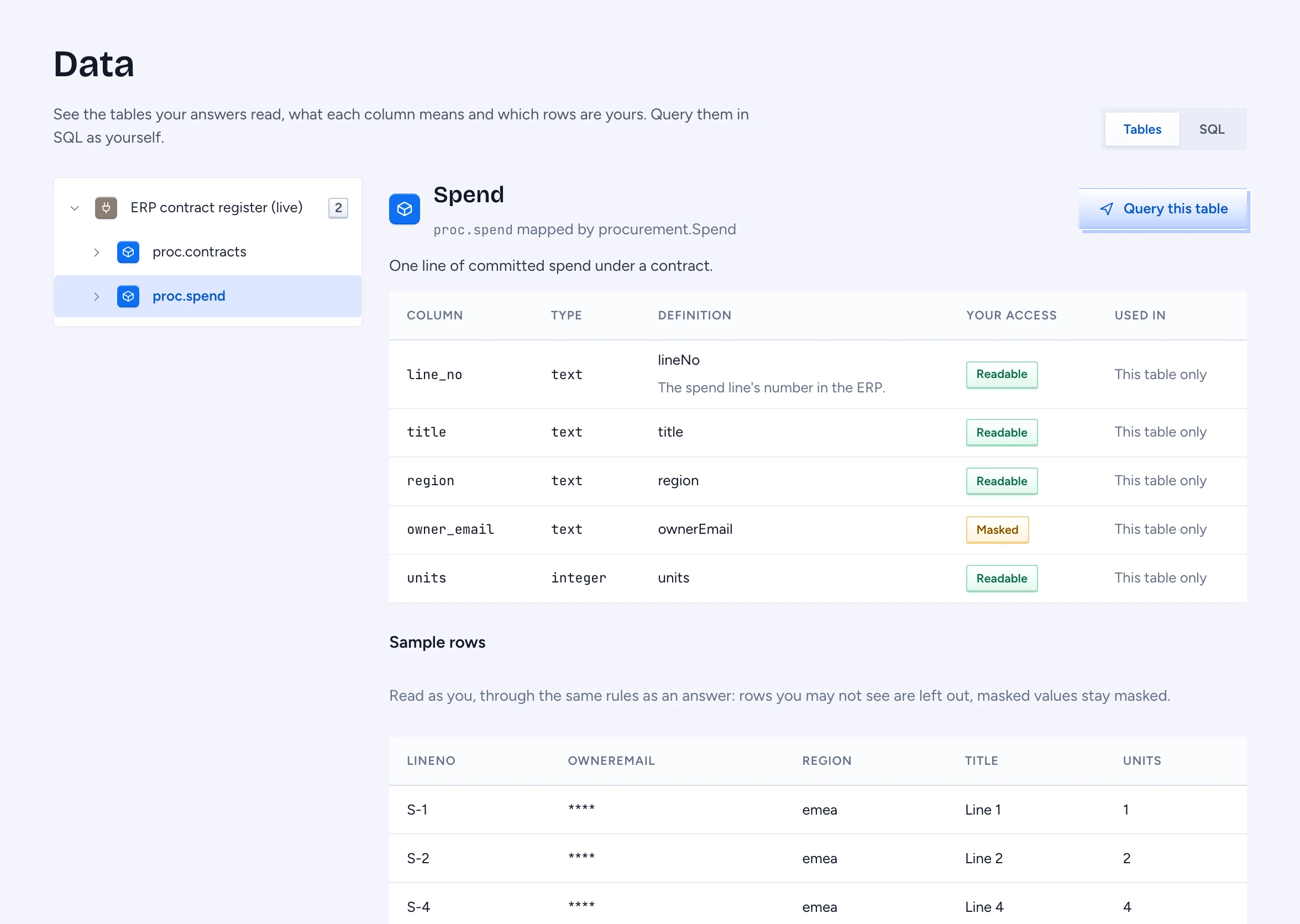
Click Data in the chat sidebar, under Knowledge sources. On the left are the sources, their tables and each table's columns. Click a table to open it on the right:
- The table's name, its schema and the type that maps it, with the type's description.
- Columns: each column's name and database type, its Definition (the property's title and description), Your access and Used in (the Queries and other types that read it). Masked means you may not read the column: it is masked, withheld or never shown for you, and it is left out of samples and queries.
- Sample rows: up to 20 rows, read as you. Rows you may not see are left out, and the count of them is shown; masked values stay masked.
A column that no property maps is never listed, nor a table no type maps.
Query a table in SQL
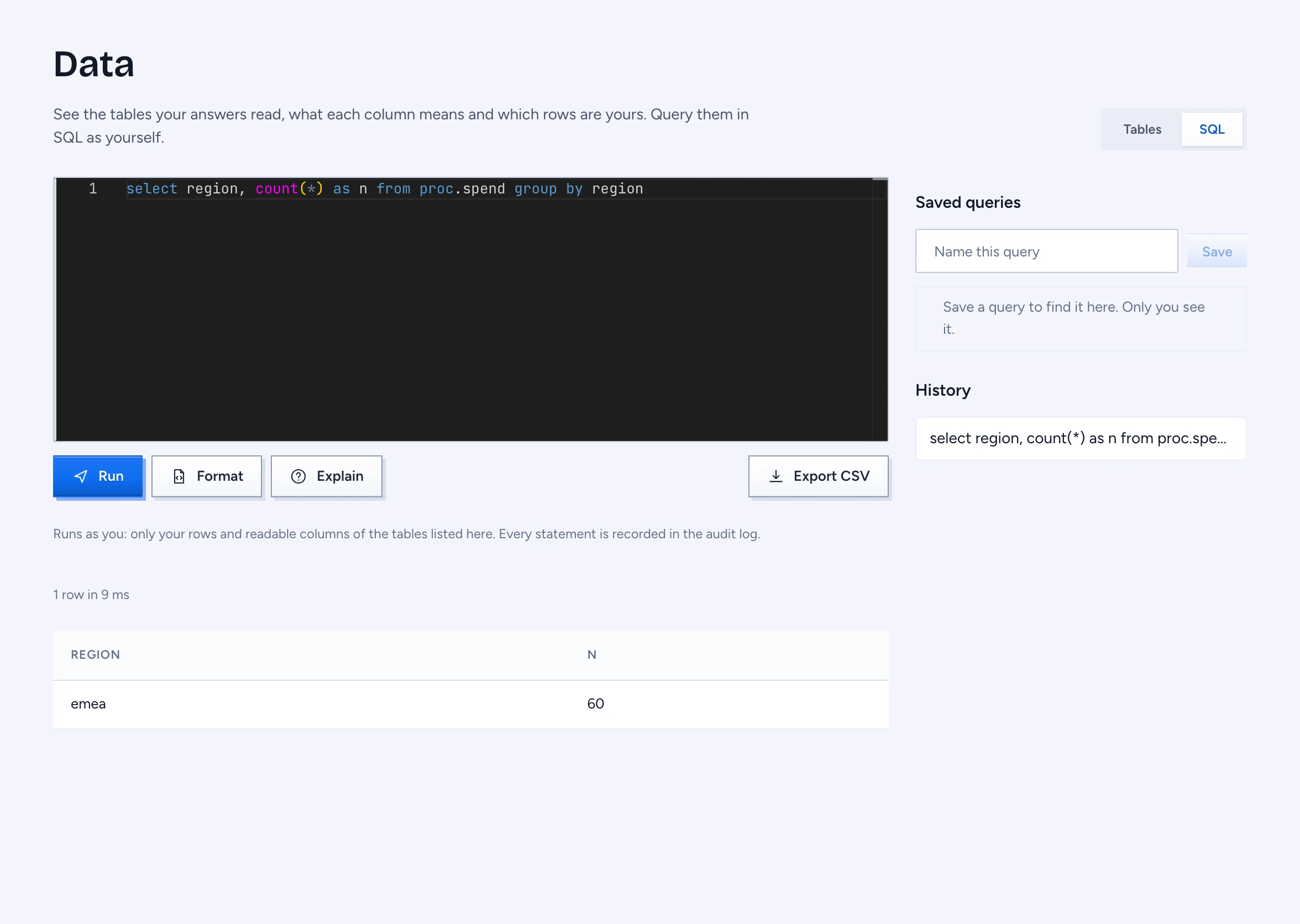
Click Query this table, or SQL at the top. Write a SELECT (or WITH) statement and click Run, or press Ctrl or Cmd and Enter. The editor suggests table and column names as you type.
The statement runs as you. Gluon rewrites it before it reaches the database, so it can read only your rows and the columns you may read of the tables listed here: a row policy (for example "your region") is part of every table you name, and a masked column cannot be read, filtered on or counted. A statement that names a masked column, another table, a catalogue such as information_schema, or a function that reaches past the tables is refused, and the message says why. Every statement is recorded in the audit log under your name.
- Format puts each clause on its own line.
- Explain shows what the statement runs as: your statement with each table replaced by the rows and columns you may read.
- Cancel stops a statement that is still running.
- Results show 50 rows a page, at most 1,000 rows.
- Export CSV downloads the result when the export policy of the tables allows it; otherwise it says it is not allowed.
A table can be Browse only: then the editor cannot apply your access to it exactly (its records carry markings or access lists, or a rule depends on values SQL cannot compare exactly, such as a fixed-width text column), and it says which. Its sample rows still work.
The editor works on PostgreSQL, MySQL and SQL Server tables. Write the statement in the database's own SQL: quote names as that database does ("name" on PostgreSQL, `name` on MySQL, [name] on SQL Server) and use single quotes for text. On SQL Server use TOP (n) instead of LIMIT. A few constructs are refused on one database only, for example || and strings with a backslash on MySQL; the message says what to write instead.
On SQL Server the editor also refuses anything that could fail on some row's values, because such an error on a row you may not read would show that the row exists. So there is no arithmetic (+, -, *, /, %), no CAST or CONVERT except to VARCHAR(MAX) or NVARCHAR(MAX) (use TRY_CAST, which gives NULL instead), no comparing text with a number, and no ROUND, ABS, DATEADD, ISNULL (use COALESCE) or STRING_AGG. Write a date as '2024-01-31' and a LIKE pattern as text in quotes. Join text with CONCAT. Do the arithmetic on the result instead.
History and saved queries
History lists the statements you ran. Type a name under Saved queries and click Save to keep the current statement. Only you see your history and saved queries.
Propose turns a saved query into a proposal to add it to the ontology as a Query that others can use. It needs a role that may propose, and only a plain read of one table's columns can be proposed (no joins, subqueries, groups or computed columns), since a Query is checked row by row as objects of one type. Until a reviewer merges the proposal it stays yours, marked Proposed.