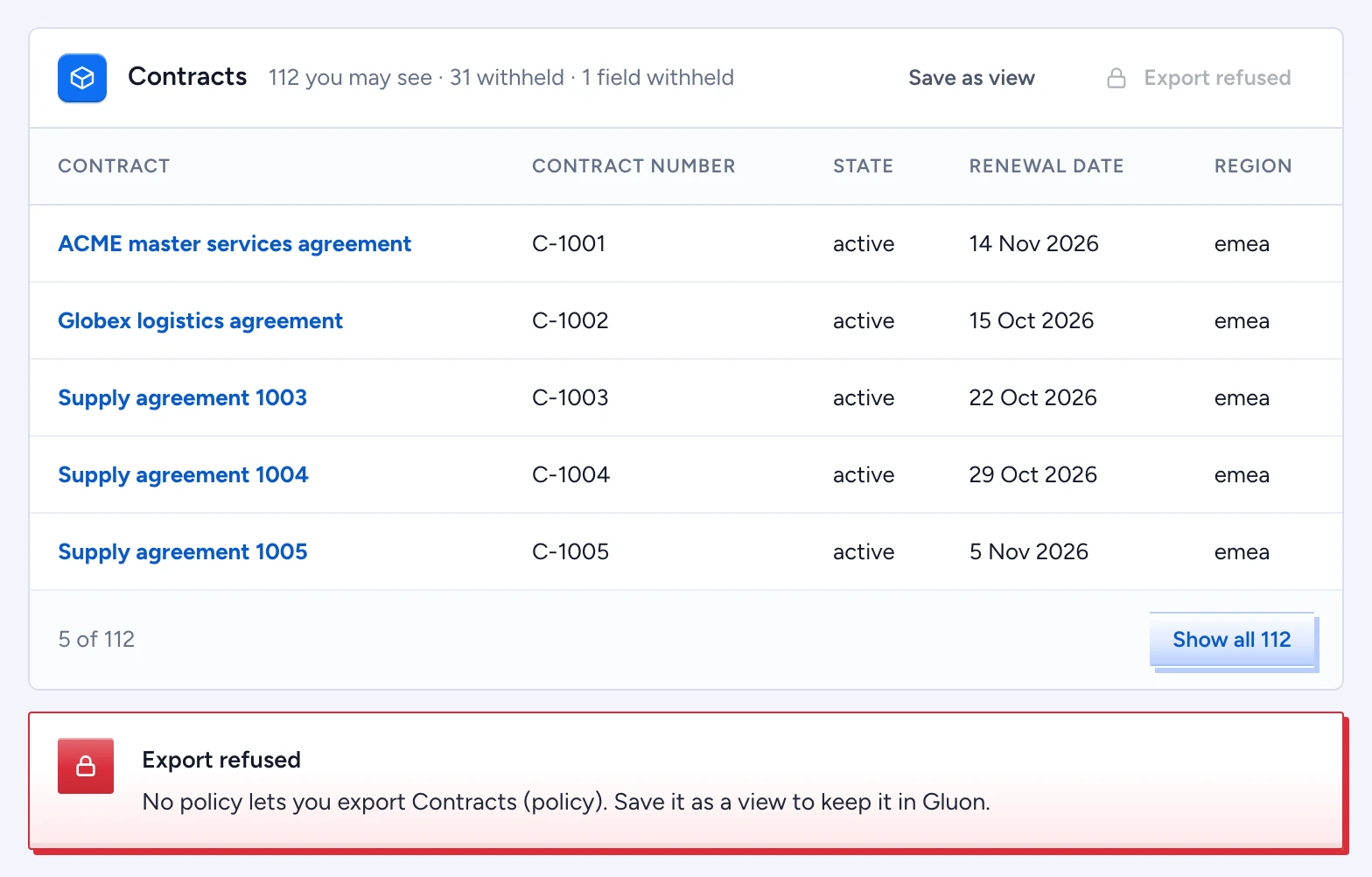
When a question names a type ("which contracts renew this quarter?"), the answer returns one result set card. Its header counts what you may see and what is withheld, for example "112 you may see · 31 withheld · 1 field withheld". The first five rows sit in the answer.
Narrow the set
- Select Show all 112 to expand the card in place.
- Type in Search to match titles by the start of a word: "acm" finds "ACME Master".
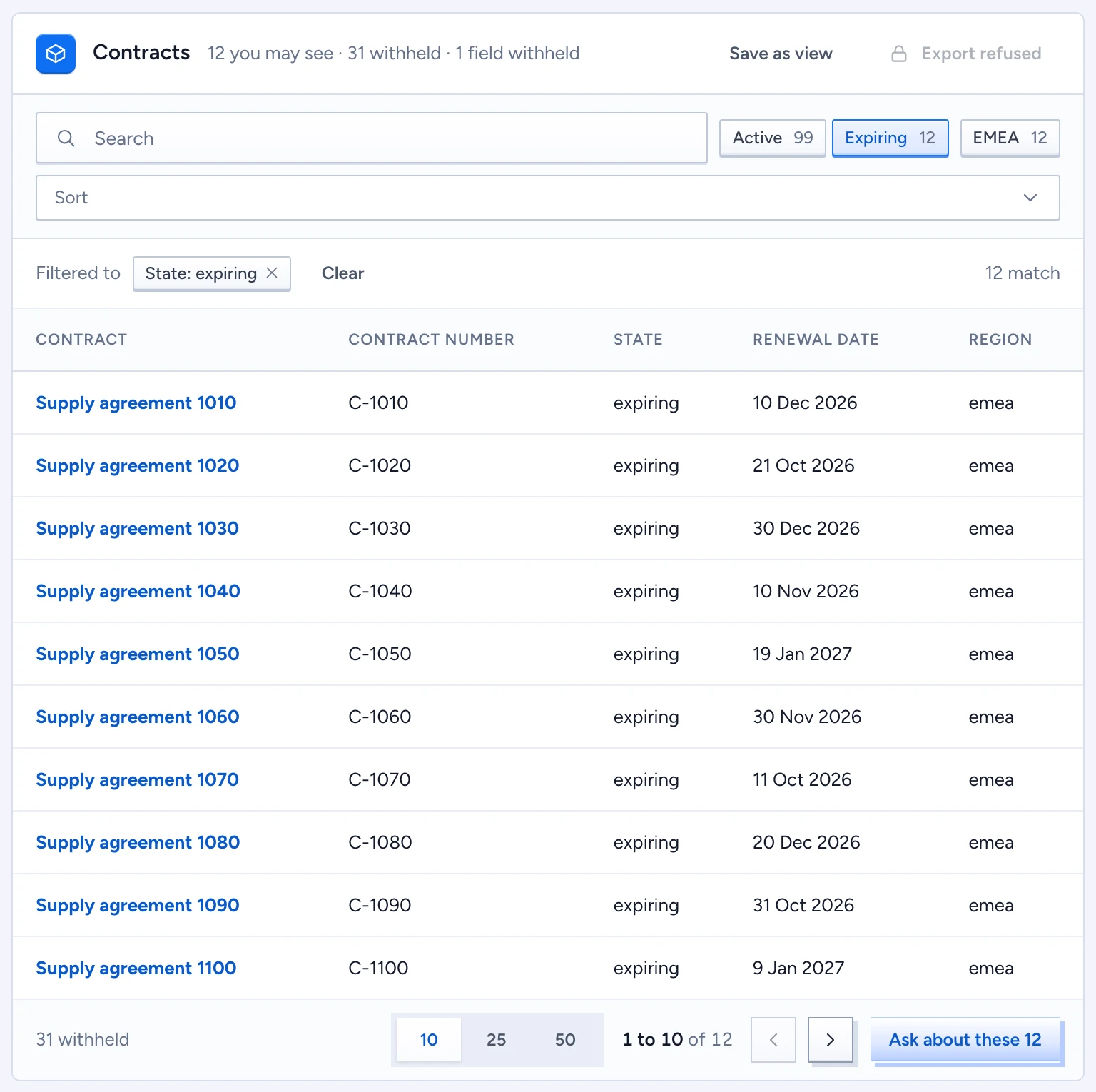
- Select a facet chip such as Expiring 12 or EMEA 12. Each chip shows how many rows it would leave.
- The Filtered to strip lists the active filters. Remove one with its cross, or select Clear. The strip ends with the number of rows that match.
- Use Sort to order the rows, and 10, 25 or 50 in the footer to set the page size.
Every count and facet comes from rows you may read. The withheld count stays the same while you filter, because Gluon never fetches withheld rows to find out which filters they would pass. When a filter leaves nothing, the card says so and adds that withheld rows may still exist. Masked cells show the mask.
Ask about exactly these rows
Select Ask about these 12 in the footer. The composer shows the set as a chip, and your next question searches only those rows. Select Stop asking about this set to go back to the whole scope.
Save the set as a view
- Select Save as view in the header.
- Enter a View name in PascalCase, for example
HighRiskSuppliers. - Select Save view.
The active filters become the view's where. If you may propose changes to the type, Gluon opens a proposal for the type's owners to review: "Proposal … adds the view … for review." Otherwise the view is saved for you alone: "Saved as your personal view …".
Export the set
Select Export in the header. Gluon downloads a CSV of every row you may see under the current search and filters, and confirms "Exported 112 rows. The export is audited."
Export needs its own permission. Without it, a red Export refused notice names the reason, for example "You may not export Contracts; no policy grants it (reason: policy).", and the button stays disabled. Save as view keeps the set inside Gluon, where the policy still applies.