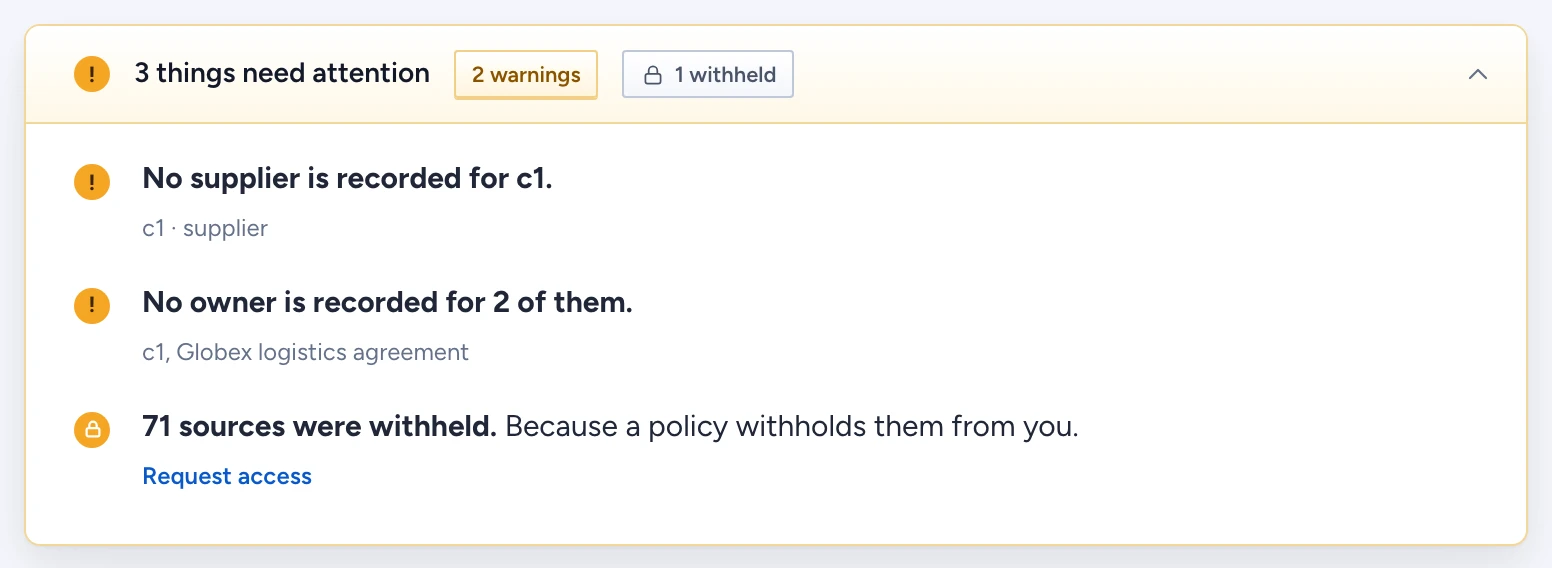
Gluon holds information back from you in two ways. A masked value is there, but a policy shows it as a mask such as ****4302. A withheld source, row or field is left out of your answer entirely, and Gluon counts it so you know the answer is incomplete. Only things inside the segments deployed to you are counted. Anything outside them is neither shown nor counted.
Reveal a masked value
Hover a mask to see why it is there: "Masked by policy". Type owners and security officers also see the policy's name and a Reveal button.
- Select Reveal on the masked value.
- If the policy asks why you need it, enter a Justification. Your reason is kept with the audit record.
- The value appears, marked "revealed, audited".
Everyone else sees the mask without Reveal. Gluon audits every reveal, allowed or refused.
Ask for access to withheld information
The attention card at the top of the conversation says how much was withheld and why, for example "40 sources were withheld. Because a policy withholds them from you." The reason is one of three:
- a policy withholds them from you,
- you do not hold a marking they carry,
- their permissions could not be confirmed recently (stale permissions at the source).
To ask for access:
- Select Request access under the withheld row.
- Gluon sends one request per withheld type you are allowed to know about, with your question as the note. You see "Access requested for 1 type. The owners decide."
When the withheld row has no Request access, no type you may request is named: the withheld items belong to types you may not discover, or you reopened an answer kept before 24 October 2026, which did not keep its types. Ask the question again to request access. You can have one open request per type. A document withheld only because its source's permissions are stale is sent as a stale permissions request, which the owners answer by syncing that source again; this holds whichever assistant you asked through. You never see which policy or marking held the data back; the owner does.
If the start page says Nothing is deployed to you yet, Request access there cannot send anything. Ask a workspace owner to deploy a segment to your team.
Decide a request as an owner
Requests go to the type's owners, or to its domain's owners when the type names none. You get a notification that links to the admin console.
- Open Access explainer, then Access requests.
- Each row shows the Requester, what they Asks for, what it is Withheld by (the deciding policy or marking), What would grant it and their Note.
- Select Approve or Deny. Either way, the requester is told.
Approving grants nothing by itself. It records your decision and leaves What would grant it for you to act on: "Grant marking:legal (by role:security-officer)", "Add to" a group, or "Resync the permissions of" a source from the freshness list. "No route: a policy decides" means only a policy change through a proposal can open it. The requester cannot decide their own request.