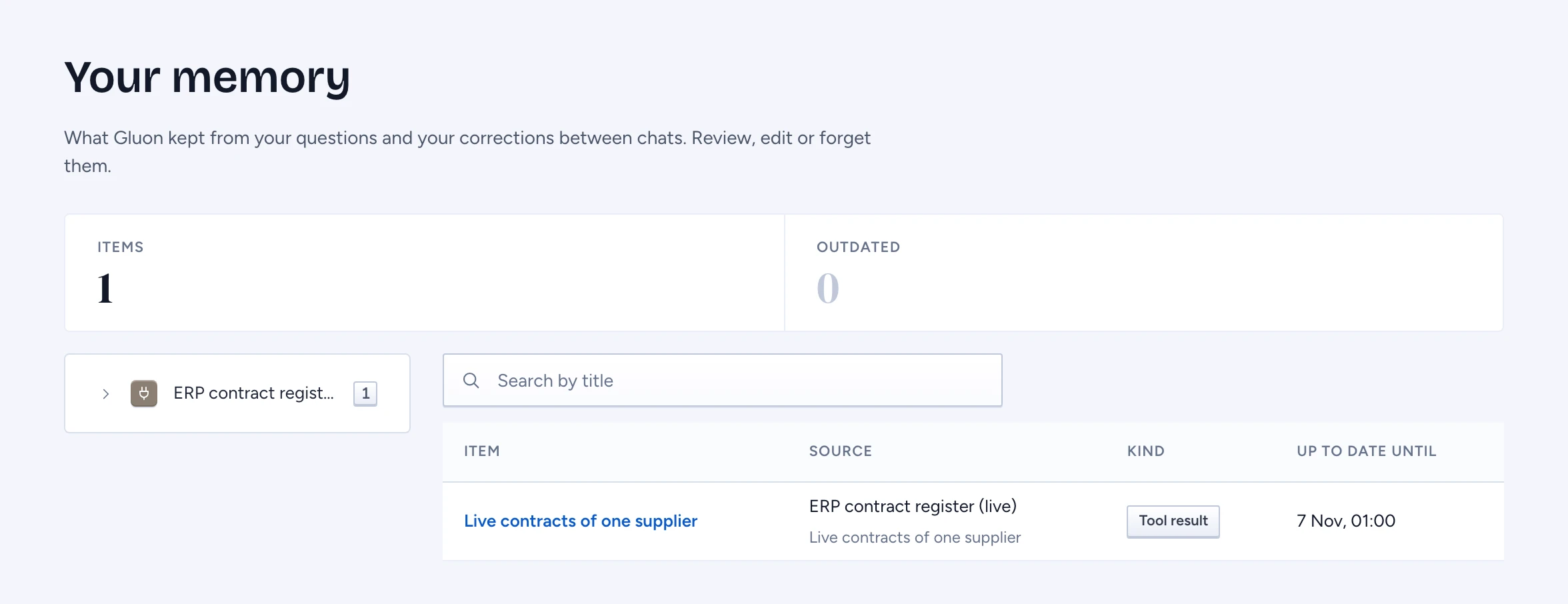
Your memory is what Gluon kept from your own questions and your corrections between chats: the results of reads your questions made, answers it kept and the corrections you made. Every item says where it came from, when it was read and until when it is up to date. Gluon checks your access again each time it shows or uses an item, so memory never shows you more than the source would. The organisation's records you may read are not here: they are in Knowledge sources.
Open your memory
Click Your memory at the bottom of the chat sidebar. The summary shows how many items Gluon kept and how many are outdated. The tree groups your items by source, then by tool or by kind. Select a node to narrow the table. You see only your own items; other people's memory is not listed.
Type in Search by title to find an item. The search runs on the server, so it finds items that are not on the screen yet. When there are more items than fit, click Show more under the table to add the next ones.
An outdated item's window has ended. An answer reads it live again when it can, and says it may be out of date when it can't.
Open an item
Click a title. The item opens on the right with its text and How it was kept: a tool call or your correction, the source, when it was read, until when it is up to date and how often answers used it.
Correct an item
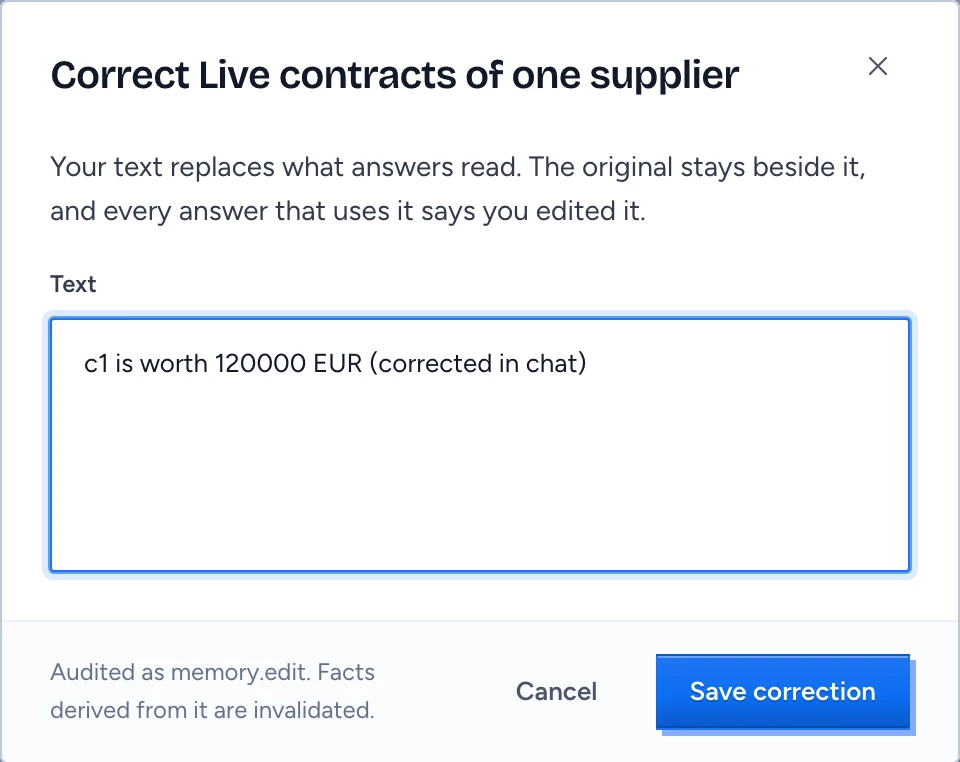
- Open the item and click Edit.
- Change the text and click Save correction.
The item becomes a correction. The original stays beside it, and every answer that uses it serves your text and says you edited it.
Forget an item
- Open the item and click Forget.
- Type its title to confirm, then click Forget.
Gluon deletes it for good, and answers stop using it and anything derived from it.
When memory is empty or slow
- Nothing kept yet with Ask a question: memory fills as you ask questions that read a source.
- Nothing kept matches your search: try other words, or clear the search.
- Still loading with Retry under the table: the server is slow. Click Retry to read again.
- Memory didn't load: nothing was changed. Click Retry.