A skill gives Gluon instructions for a kind of question: when it applies, what it reads and how fresh it must be, how it checks the evidence, and how the answer is shaped. A skill refers to the ontology with references such as {{finance.Customer}}, so a renamed type or a new description reaches every skill without an edit.
Company and personal skills
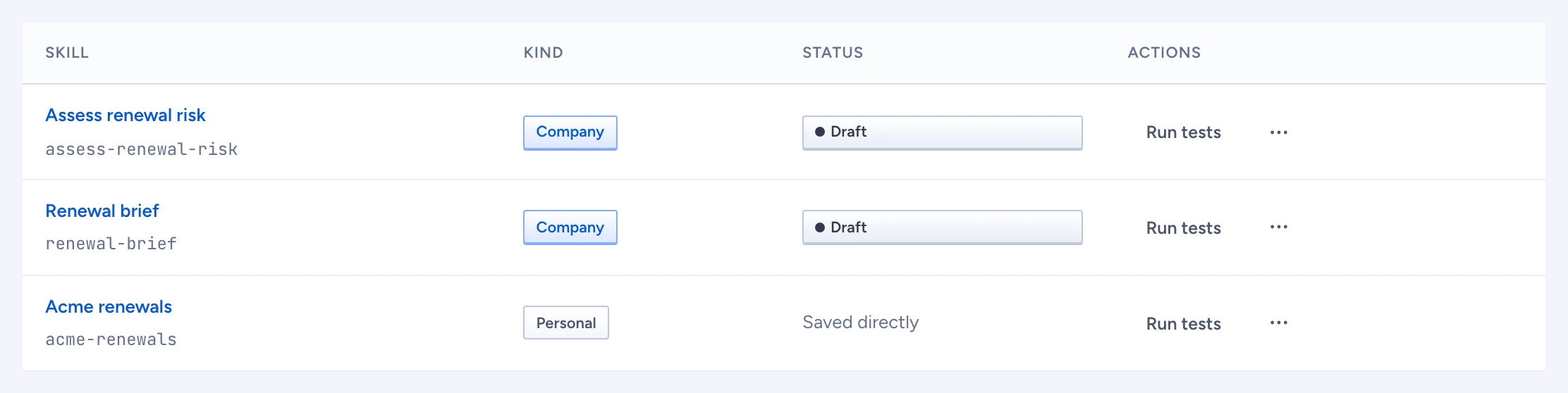
- A company skill is part of the shared ontology. Saving it opens a proposal; chat keeps using the published version until the proposal is approved and deployed.
- A personal skill is yours alone. It is saved at once and is never part of a package. It may not propose actions or read tools outside the pack.
Start a skill
- Open Sources, tools & skills > Skills and click New skill.
- Under What should Gluon do, and when?, say it in a sentence or two, such as "When I ask about an invoice, list who owes it, the amount and how many days it is overdue".
- Click Draft skill. Gluon drafts the skill with the chat model and names the types you can see where they fit. The editor opens with an example question ready under Try in draft. Nothing is saved until you click Propose skill or Save.
Without a chat model, Gluon could not draft it says so. Set one up under AI connections, or use a template.
To start from a template instead, leave the sentence empty and pick one under Or start from a template. Answer has Answer about a type and Compare two periods. Write it as has Summarise for a manager, Output as a table and Draft a reply. Each one is about a type, so About appears: pick the type, such as Customer. The references fill in from the type. Blank skill needs no type. Click Start editing. Without a type that has fields, only Blank skill is offered.
New skill in the Skills menu at the bottom of the chat sidebar opens a new personal skill here directly, never a company proposal.
Edit a skill
The first form is short:
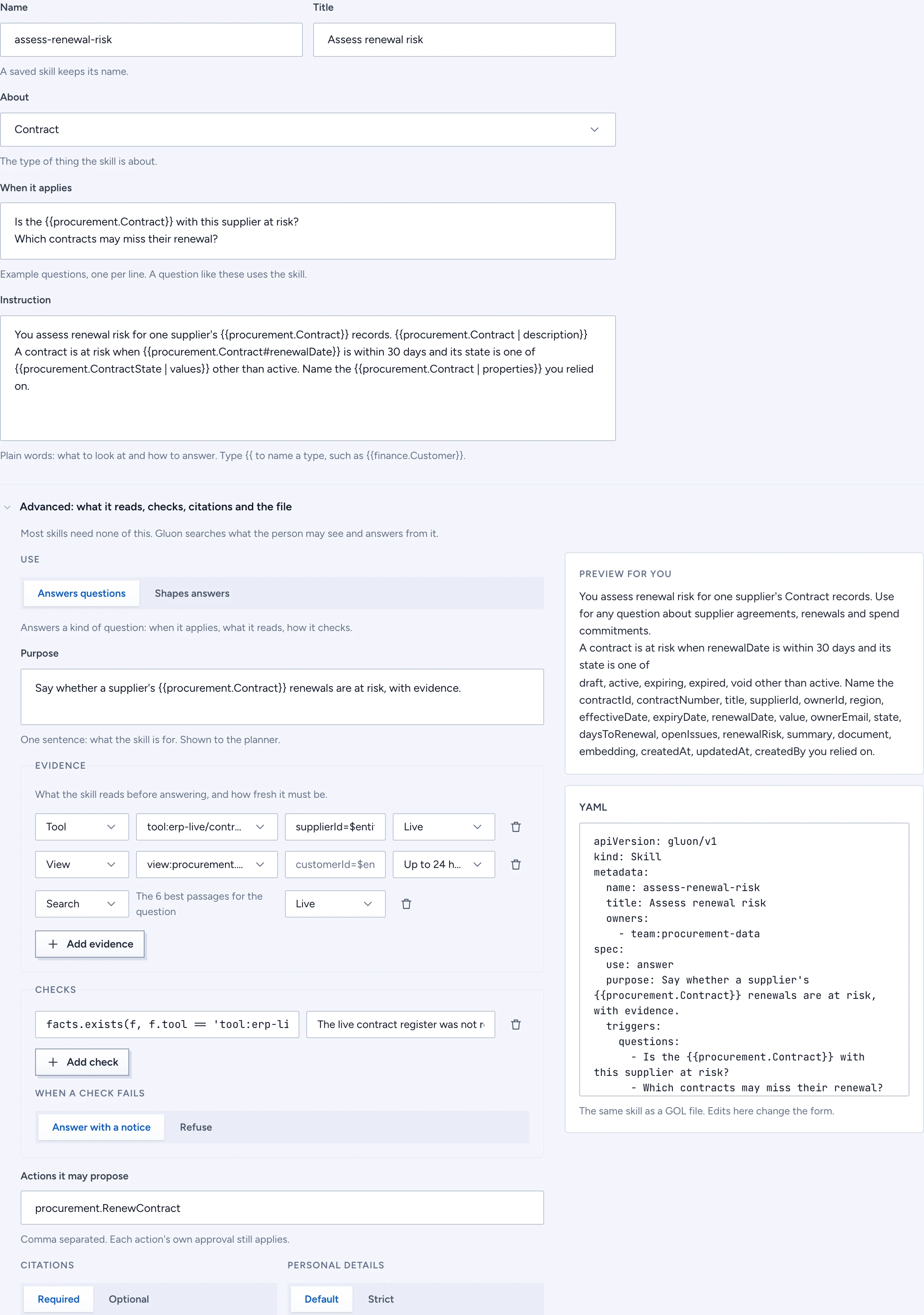
- Name and Title.
- About: the type the skill is about.
- When it applies: example questions, one per line. A question like these uses the skill.
- Instruction: what to look at and how to answer, in plain words. Type
{{to name a type: the exact match is offered first, then the shortest. An unknown reference is named and keeps Save off.
Everything else is under Advanced, closed at first. Most skills need none of it:
- Use: Answers questions for a kind of question, Shapes answers for how the final text is written.
- Purpose: one sentence on what the skill is for, shown to the planner. About fills it in.
- References with
| description,| propertiesor| values, and Preview for you, which shows the instruction as the model reads it, for what you may see. - Evidence: the tools and views it reads, their arguments, and how fresh each must be.
- Checks and When a check fails: CEL expressions over the facts; on a failure the answer shows the message in "What needs attention" (notice) or refuses.
- Actions it may propose, Citations and Personal details.
- YAML: the same skill as a file. Change the form or the file and the other follows.
Try in draft and run the tests
Under Try in draft, ask a question and see how the draft answers it, before anyone approves it. Only you see the result, and its trace says skill: draft. Run tests runs the skill's tests now. The list marks a skill whose tests failed; the skill's own page shows passed, failed or never run, its version and how often it was used in the last 7 days.
Click Propose skill (company) or Save (personal).